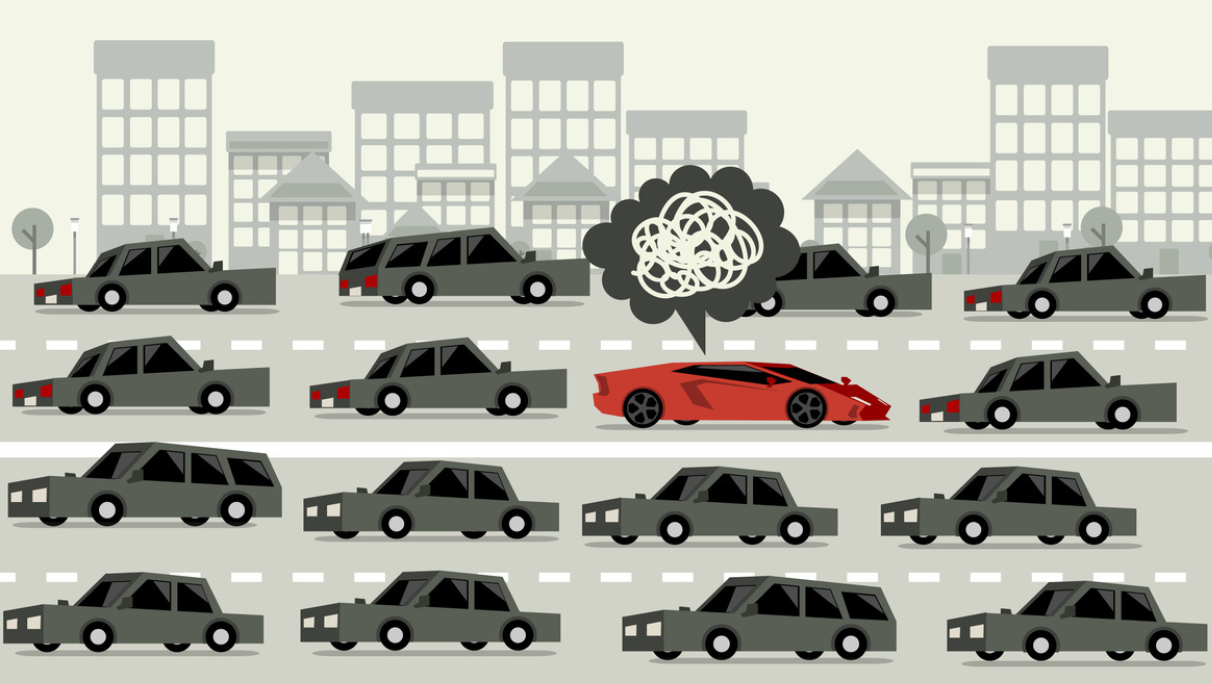
Most organizations have successfully gotten AI into employees' hands, but many still haven’t truly embedded it within their operations.
Recent research from Gallup found that, within organizations that have implemented AI, 65% of workers say it’s improved their individual productivity and efficiency. But those gains are largely limited to the employee or task level, rather than being realized across the enterprise. Despite its benefits to individual productivity, only about 10% of those workers say AI has fundamentally transformed how work is done within their organizations.
In other words, AI is still being bolted on as a standalone tool beside the workflows it was meant to transform. But to see real ROI and drive meaningful efficiency throughout the organization, workflows must be redesigned with AI at the center.
The Business Case for AI-Centric Workflows
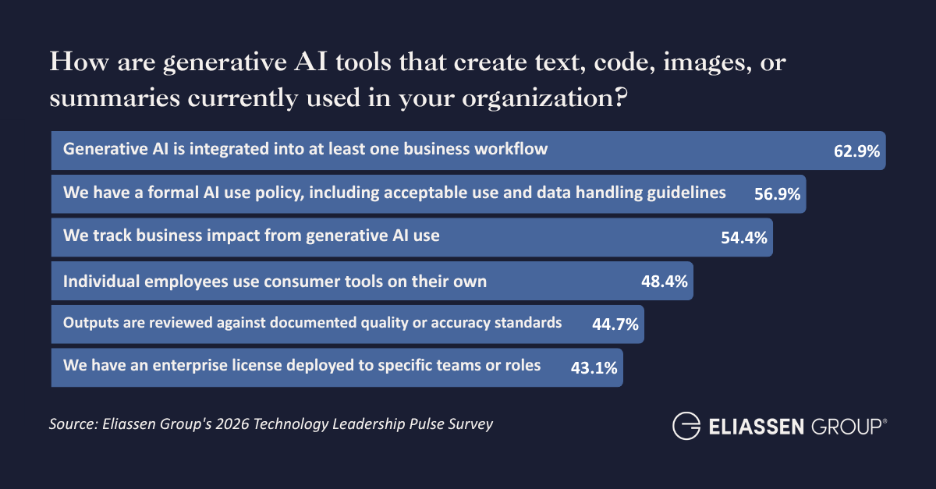
Almost two thirds (63%) of U.S. tech leaders said that AI is integrated into at least one business workflow, according to an Eliassen survey of U.S. technology leaders fielded in Q2 of 2026. But what does that degree of integration deliver for their businesses?
Quite a lot, it turns out.
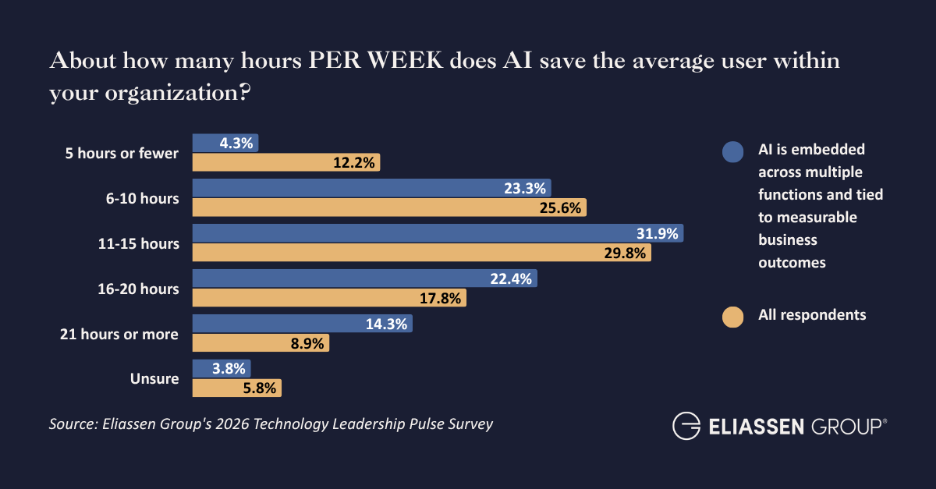
Leaders from organizations with AI-integrated workflows reported that AI saved the average work a median of 13.7 hours per week. Other respondents — those whose organizations have invested in AI solutions but haven’t managed to integrate it meaningfully into any workflows — reported a median time savings of 10.4 hours per week.
That additional savings of 3.3 hours per user per week adds up quickly: Over the course of a year (50 weeks, assuming two weeks of vacation/PTO), organizations where AI is embedded into at least one workflow save 165 hours, or about a month’s worth of working hours per AI user per year.
But that’s not all: Companies that have integrated AI into at least one workflow are also much more likely to say that they’ve seen positive ROI from their AI initiatives. Eliassen’s latest research found that 77% of organizations with AI-integrated workflows said they’ve already seen positive ROI, compared to just 33% of all others.
All told, it’s easy to see why McKinsey found that, out of 25 attributes tested, “the redesign of workflows has the biggest effect on an organization’s ability to see EBIT impact” from AI.
Why Task Chains Should Be the Centerpiece for AI-Integrated Workflows
Task-level gains can be found anywhere an AI can outperform a human worker. Analyzing invoices, for example, can be done by AI much faster and more efficiently than by a human. A staff accountant may save many hours as a result, but what does the department gain from those savings? What about the organization as a whole? After all, the AI’s value ends once the invoices are analyzed. They’ll still have to be entered into the system of record, paid, and more.
Unless there’s something else the accountant in question can do with the time given back to them by AI, the value realized from that worker’s AI-derived time savings has a firm limit.
This is where the concept of “task chaining” comes into play — and it’s exactly what it sounds like. In a recent paper by researchers at MIT, Yale, and Microsoft, the authors offered the tasks performed by a lecturer and a tutor as examples:
In lecture-based teaching, many AI-suitable activities (e.g., background research, drafting slides, generating examples) are clustered in a “preparation” block, making it feasible to delegate them to AI in a single chain and verify only the final output. In tutoring, by contrast, these activities are interleaved with diagnosis and rapid back-and-forth with a student, so automatable steps are more dispersed and delegating preparation activities to AI is less valuable.
But the authors are careful to point out that all chains are equally valuable. The more tasks that are suitable for AI that can be chained together, the better. But when even a single task is difficult for AI or requires human intervention, the value of that chain breaks down.
How to Begin Integrating AI at the Workflow Level
AI integration at the workflow — rather than the task — level may be key to seeing real gains, but what steps can an organization take to actually get there? Surprisingly, very little of the necessary steps actually involve AI.
1. Diagram and Diagnose Current-State Workflows
Before anything else, begin by diagramming processes as they actually are. This doesn’t mean simply mapping out a process as it should be according to the org chart.
Every organization has countless small “shadow” steps and processes that don’t appear within company documentation. Each of these slight detours has the potential to derail a task chain, so build an honest assessment of where, when, how, and to whom work really flows: handoffs, approval gates, data transfers between systems, and where humans spend time on judgment calls versus repetitive tasks.
Process mining tools (or even structured SME interviews and swimlane diagrams) can surface the bottlenecks that AI might address versus the ones it would just automate faster without fixing. This step also exposes integration gaps early, and which is vital, since a workflow that breaks down at a system handoff won't be fixed by adding AI on either side of it.
2. Classify Tasks by Type, Not by Department
Workflows rarely sit within a single team or even department. Reviews, approvals, spend authorization, and countless other steps in a workflow often require external input, and these are captured by dotted lines (at best) on most process mapping documents.
This is why it pays to separate each task within a given workflow into categories, like:
- Rule-based/repetitive
- Judgment-based
- Creative/generative
- Relationship-dependent
AI capabilities will map unevenly across these categories. They will be strong for rule-based or repetitive tasks, and they’re increasingly valuable for some simpler judgment-based tasks. They’re much weaker — and often riskier — for tasks requiring accountability, nuance, or trust.
This classification, when done at the task level rather than the role level, prevents the common mistake of asking "can AI replace this task,” rather than "which cluster of steps can benefit most from AI."
3. Redesign the Workflow Around AI, Don't Just Insert AI Into It
This is the most important step, and the step organizations most often skip, largely because it’s arguably the hardest.
Since someone still has to review, reformat, or manually move the AI's output into the next system, bolting an AI tool onto an unchanged process usually just adds a step. Real redesign, on the other hand, means asking whether approval gates are still needed at the same points, whether data can flow directly between systems instead of through manual re-entry, and whether the workflow's shape should change now that a task takes minutes instead of days.
4. Pilot with Integration and Governance Built in — Not Bolted on After
Before scaling, test the redesigned workflow with actual system connections in place — not in a demo environment. This is where a lot of AI initiatives stall or get abandoned, because the pilot works in isolation but fails when it needs to talk to the CRM, the ERP, or a legacy system with no API.
Building the integration layer — and including clear governance over data access, audit trails, and failure handling — into the pilot phase, rather than treating it as a later IT problem, is what determines whether the redesign survives contact with production systems.
5. Instrument for Measurement and Iteration
Before rolling out any redesigned workflow, define what you're measuring, and build that measurement into the workflow itself. Whether it’s time saved, error rate, throughput, adoption, or any number of other success metrics, baking it in advance is much easier and more valuable than trying to reconstruct it later.
Keep in mind that a redesigned workflow is a living system, not a one-time project. As AI capabilities advance, revisit AI-integrated workflows on a set cadence. Look for opportunities to improve efficiency, eliminate costs, and further reduce the need for human intervention.
Takeaways for Tech Leaders
AI may help individual workers be faster or more efficient, but those workers still operate within complex workflows that span teams and, often, departments. If those workflows are still dependent on human intervention at the next step (or steps), those benefits are limited — or often negated entirely.
To truly revolutionize how work gets done — and to maximize return on their AI investments — organizations need to redesign workflows from end to end with AI at the center. This means looking for opportunities to capitalize on task chains that can be performed by AI, reimagining workflows around those task chains, and establishing a regular cadence of evaluation, assessment, and, if necessary, quick and decisive course correction.
Discover even more real-world insights on AI optimizations, transformations, and more, by visiting our resources page today. Or, to see how your organization’s AI maturity compares to industry benchmarks and get a clear picture of the potential ROI you can expect from investing in AI, try our AI Value Navigator.
%20(4).png?width=1725&height=700&name=Copy%20of%20What%20You%20Get_%20A%20scored%20readiness%20report%20and%20recommended%20next%20steps%20(1725%20x%20700%20px)%20(4).png)